
TRACER
Chords, a melody and a bass line. In your key.
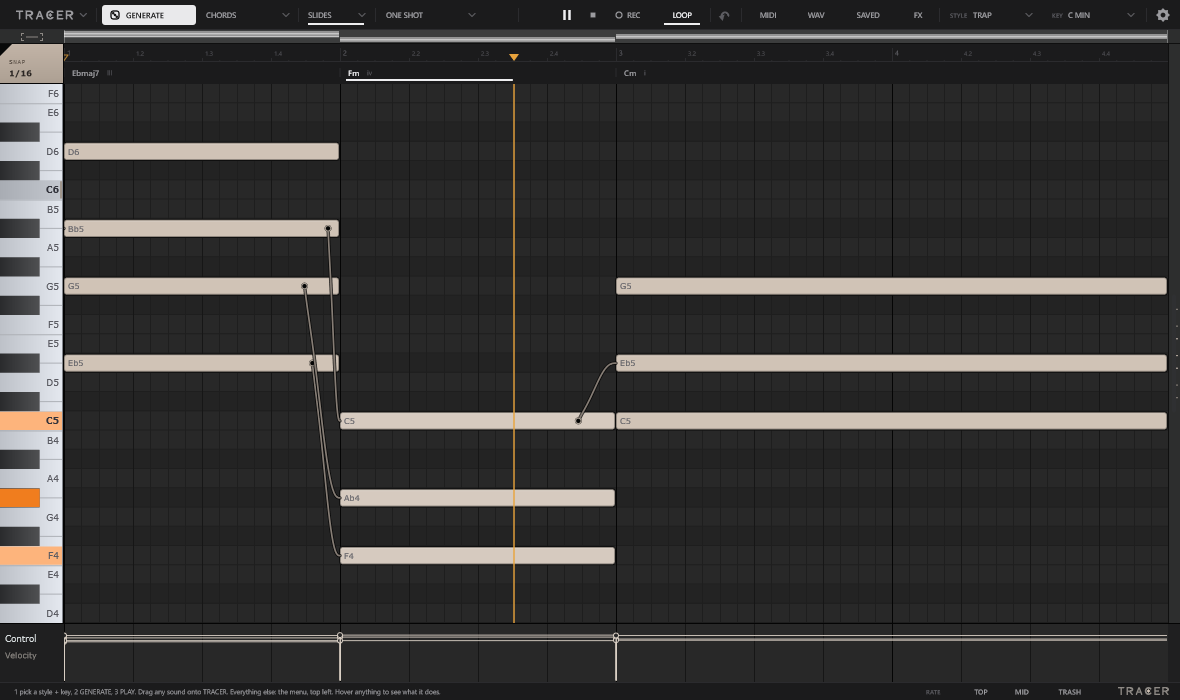
A piano roll that writes the first draft. Slides between the notes, effects on a pedalboard, and the loop dragged straight into your DAW.
- Format
- VST3 instrument
- System
- Windows · macOS
- Status
- Testers first
How it works
Three moves.
- 1Generate
Pick a style and a key. GENERATE writes the chords; tick melody and bass and it writes those too.
- 2Slide
Double-click a note and drag it onto the next one. One voice glides there, at the time and curve you set.
- 3Drag out
MIDI or WAV, straight from the toolbar into your DAW. Ctrl+S keeps a copy of the loop.
Effects
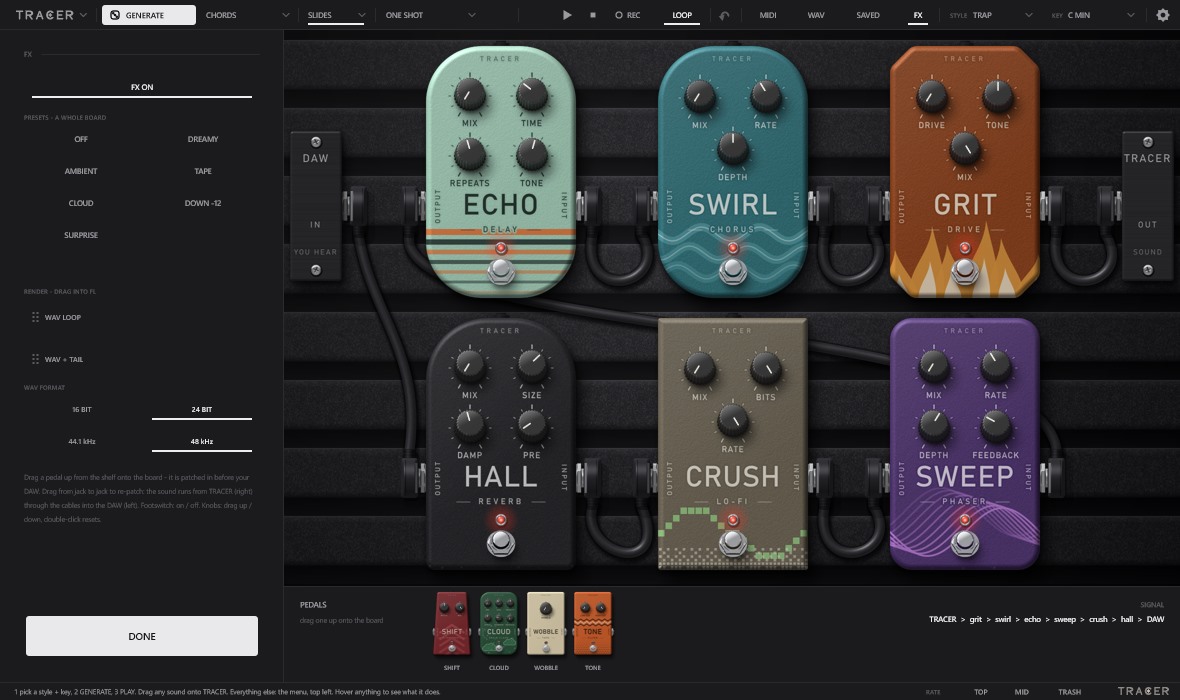
Ten pedals, patched with cables.
Drag a pedal from the shelf onto the board and it is in the chain. Re-patch by moving a cable from jack to jack. The WAV you drag out is the loop through the pedals.
Testers first
Not out yet. A few people get it first.
Testers get TRACER on their FL Connect account and install it from the Cloud tab in the app. Everyone else gets it here once they are through.